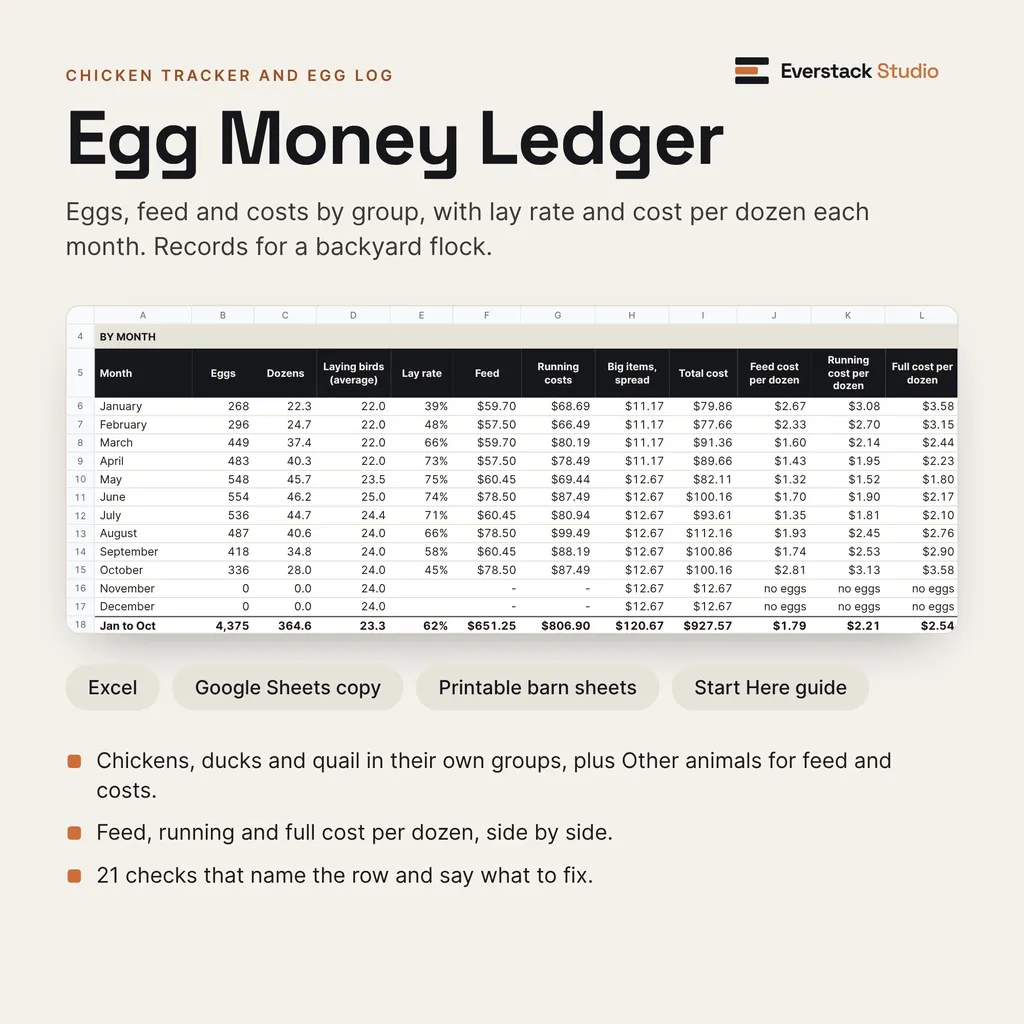
Ten months of a fictional flock, on the Summary tab.
Open largerChicken tracker and egg log for a backyard flock
Record eggs, feed and costs by group, and see lay rate and cost per dozen each month. An Excel workbook with a Google Sheets copy, plus printable barn sheets for the coop.
Egg Money Ledger
- Chickens, ducks and quail each get their own group, plus an Other animals group for feed and costs only. Rename the groups to fit your flock.
- Lay rate is worked out from bird-days, so birds added or lost partway through a month count only for the days they were there.
- Three costs per dozen, side by side each month: feed only, running costs, and full cost with big items like a coop spread over the years you choose.
- Shared feed and bedding are split across groups by bird-days and a share you set.
- Each group's eggs are valued at your own price per dozen and set against its feed.
- A health and care log. For an egg hold, it counts forward from the withdrawal days and the date you type in from your product label or vet.
- 21 numbered checks catch mistyped entries, overlapping egg counts and missing dates, name the row, and say what to fix.
Local files
No account, and nothing is sent anywhere.
Editable files
Formula cells are visible and editable.
Real screens from the files you get
A flock workbook and five printable barn sheets: eggs, feed and costs by group, with lay rate and three costs per dozen each month.
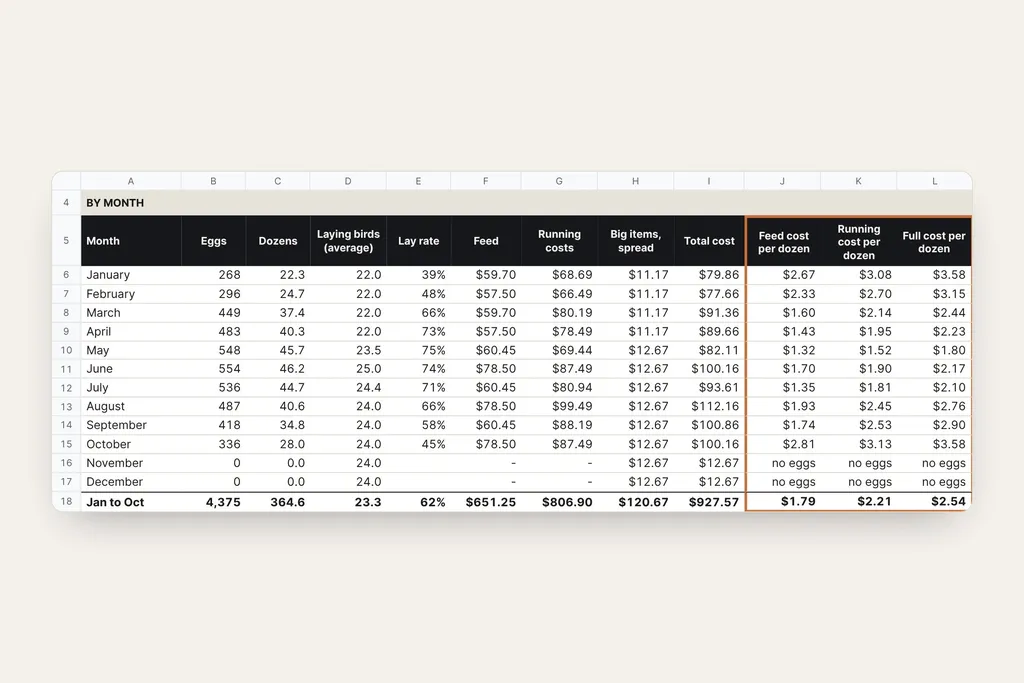
Summary: feed, running and full cost per dozen, month by month.
Open larger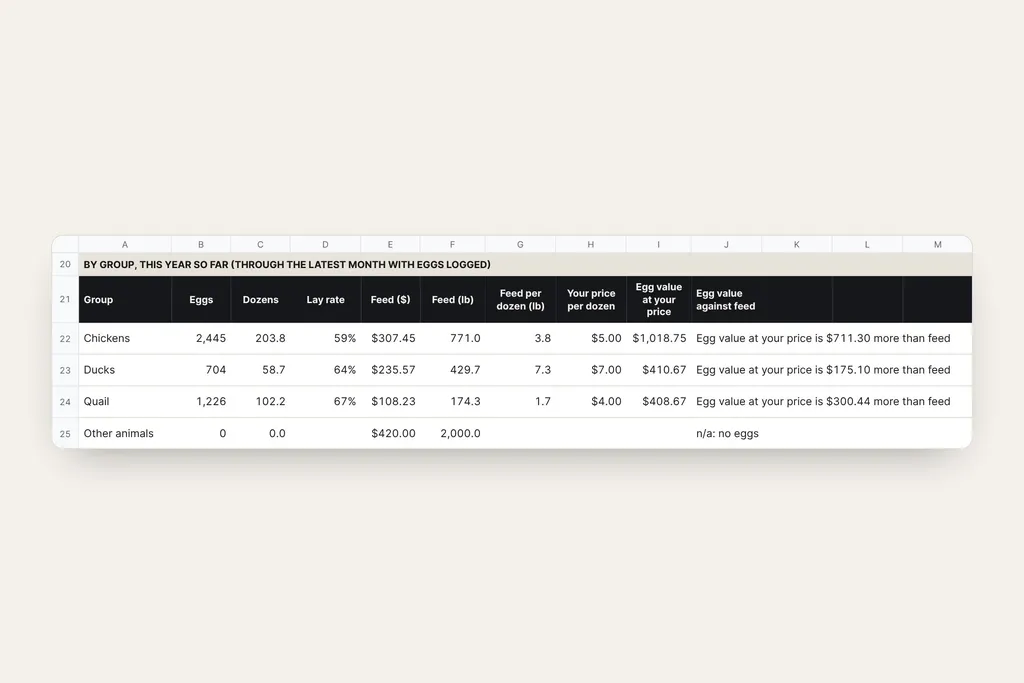
By group: lay rate, feed per dozen, and each group's eggs at your own price set against its feed.
Open larger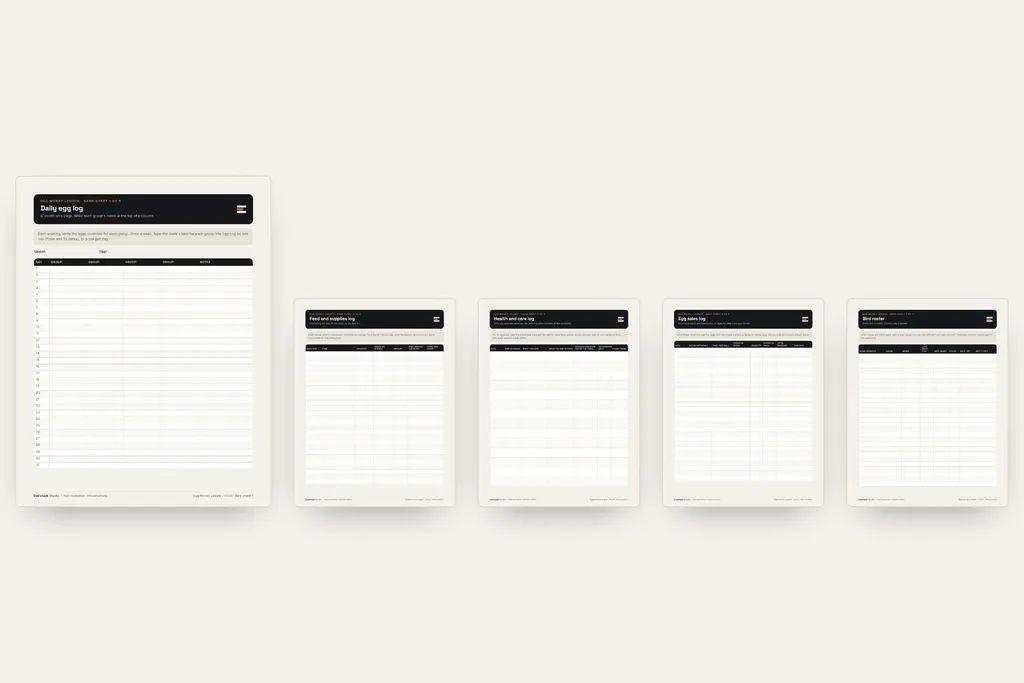
Five printable barn sheets for the coop door.
Open larger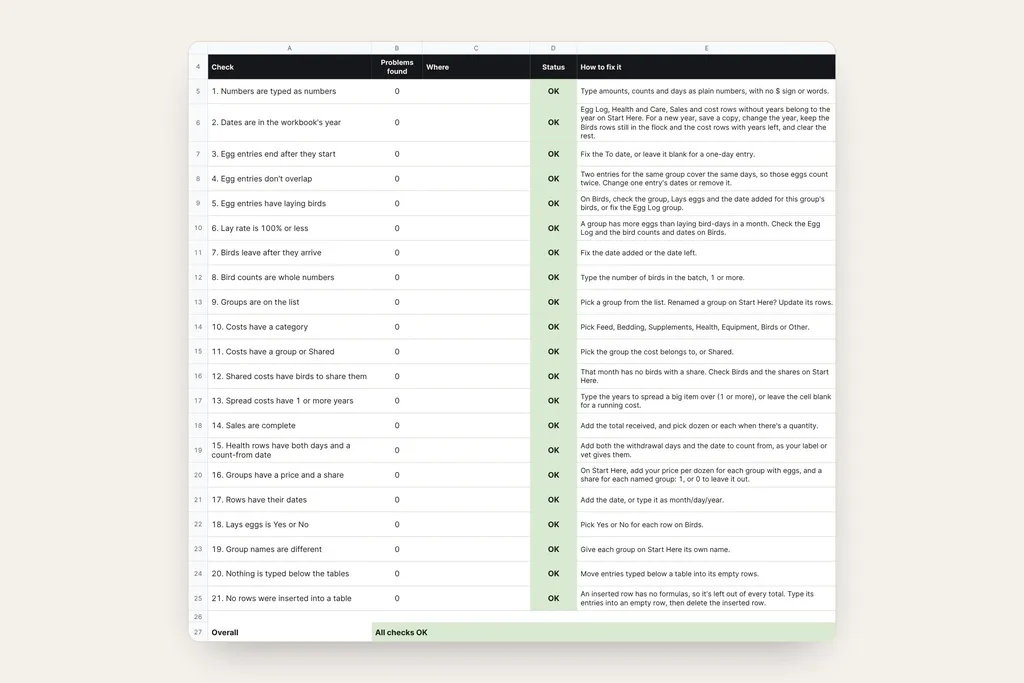
Checks: 21 numbered checks that name the row and say what to fix.
Open largerFiles in this download
- 01 Start Here (PDF, 3 pages): your first twenty minutes, how the numbers work, the Google Sheets link, privacy and limits.
- 02 Egg Money Ledger (Excel): Start Here, Birds, Egg Log, Feed and Costs, Health and Care, Sales, Summary, Checks and Workings tabs. Room for 150 bird rows, 600 egg entries, 500 costs, 200 health notes and 500 sales a year, in five groups.
- 03 Barn Sheets (PDF, 5 pages, US Letter): daily egg log, feed and supplies, health and care, egg sales, and bird roster. Four use the same columns as their workbook tabs; the daily egg log is totalled into one Egg Log row a week.
- A Google Sheets copy: open the link in Start Here while signed in to Google, choose Make a copy, and it saves to your own Google Drive.
- 04 License and Support (PDF).
Your first session
- 1On Start Here, set the year and lb or kg, name your groups, and add your price per dozen for each egg group.
- 2On Birds, type over the example rows: each bird or batch, its group, whether it lays, the date it arrived and how many.
- 3Keep the barn sheets by the coop. Once a week, type in eggs (a day, a week or a month per row) and costs as you pay them. For a big item like a coop, type the years to spread it over.
- 4Summary shows each month's eggs, lay rate, costs per dozen, money in, and cash in minus cash out, then each group's numbers for the year so far.
- 5The entry tabs open with fictional example rows in place, and Start Here says how to start fresh.
Sinking Fund Jars
Big yearly costs like winter feed, coop repairs and vet visits? Sinking Fund Jars sets aside a little each payday so the money is there when the bill comes.
Is this the right tool for you?
Good fit
A backyard keeper with chickens, ducks or quail who wants eggs, feed and costs in one place, by group, and a cost per dozen worked out from their own numbers.
Not designed for
It isn't a breeding, hatching or milk record, and it gives no veterinary, food-safety or egg-selling guidance. Goats and other animals are tracked for feed and costs only.
What this product does and does not do
- Built for desktop Microsoft Excel on Windows or Mac. The Google Sheets copy works in Google Sheets in a web browser; you need a free Google account to make your copy. Apple Numbers isn't supported.
- The barn sheets print on US Letter paper. The PDFs open in any PDF reader.
- Formula cells are visible and editable, so keep an untouched copy of the file before you change any formulas.
- Your entries stay in the Excel file on your computer, or in your own Google account if you use Google Sheets. Don't enter card numbers, account numbers or passwords.
- Egg holds. The sheet counts forward only from the date and the number of days you type in, from your product label or your vet, and shows "Hold eggs through" that date. It never supplies a withdrawal period.
- Selling eggs. Rules for selling eggs vary by state and county. Check yours.
- Your own numbers. It shows your own cost per dozen. It makes no comparison with store prices and no claim that keeping birds saves money.
- It gives no guidance on washing, storing or eating eggs, and it isn't a breeding, hatching or milk record.
- The birds, names and amounts in the examples and photos are fictional.
License
For your own personal, household or small-flock record-keeping. Print as many barn sheets as you need, and share the files with people in your household; please don't share or resell them outside your household. Fixes and minor updates may be issued at Everstack Studio's discretion for v1.x. Refunds follow the store policy shown at checkout.
See the refund policy and terms.
Common questions
Can I use Google Sheets?
Yes. Start Here has a link: open it while you're signed in to Google and choose Make a copy. The copy is saved in your own Google Drive and has the same tabs and checks as the Excel file. Use one or the other, not both, so your records stay in one place.
Does it tell me how long to hold eggs after a treatment?
No. Withdrawal days come from your product label or your vet. The sheet counts forward from the date and the number of days you type in, and shows Hold eggs through that date. It never supplies a withdrawal period, a diagnosis or a dose.
Does it work for ducks and quail?
Yes. Chickens, ducks and quail each get their own group, with their own lay rate, feed and price per dozen. Rename the groups to fit your flock. Other animals tracks feed and costs only.
What about next year?
Save a copy, change the year on Start Here, keep the Birds rows still in the flock and the cost rows with years left, and clear the rest. Start Here has the steps.
Are updates included?
Fixes and minor updates to the version you bought are free when we release them. A future major version is a separate product unless its page says otherwise.
What's the refund policy?
If you bought on everstackstudio.com, you can get a full refund within 7 days of your order. Email support@everstackstudio.com with your order number; you don't need to give a reason. If a file is broken, email us anytime and we'll fix it.
Get the Egg Money Ledger
A flock workbook and five printable barn sheets: eggs, feed and costs by group, with lay rate and three costs per dozen each month.
For record-keeping only. Not veterinary, tax, legal or business advice. The workbook does arithmetic on the numbers you enter; it doesn't verify them, predict anything or recommend what to do.